List messages from the dashboard
Listing messages from the dashboard allows you to debug Queues or Queue producers without a consumer Worker. Fetching a batch of messages to preview will not acknowledge or retry the message or affect its position in the Queue. The Queue can still be consumed normally by a consumer Worker.
To list messages in the dashboard:
- Log in to the Cloudflare dashboard and select your account.
- Select Workers & Pages > Queues.
- Select the Queue to preview messages from.
- Select the Messages tab.
- Select Queued Messages.
- Select a maximum batch size of messages to fetch. The size can be a number from 1 to 100. If a consumer Worker is configured, this defaults to your consumer Worker’s maximum batch size.
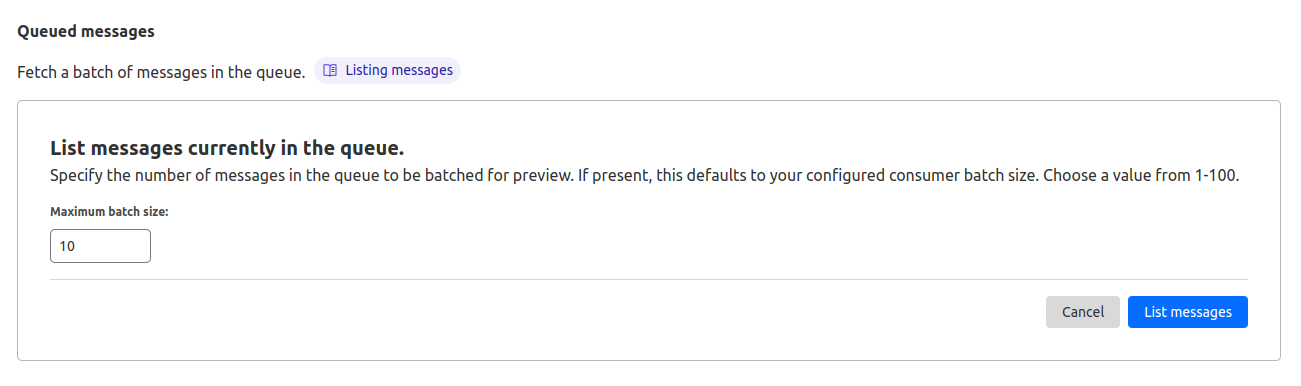
- Select List messages.
- When the list of messages loads, select the blue arrow to the left of each row to expand the message preview.
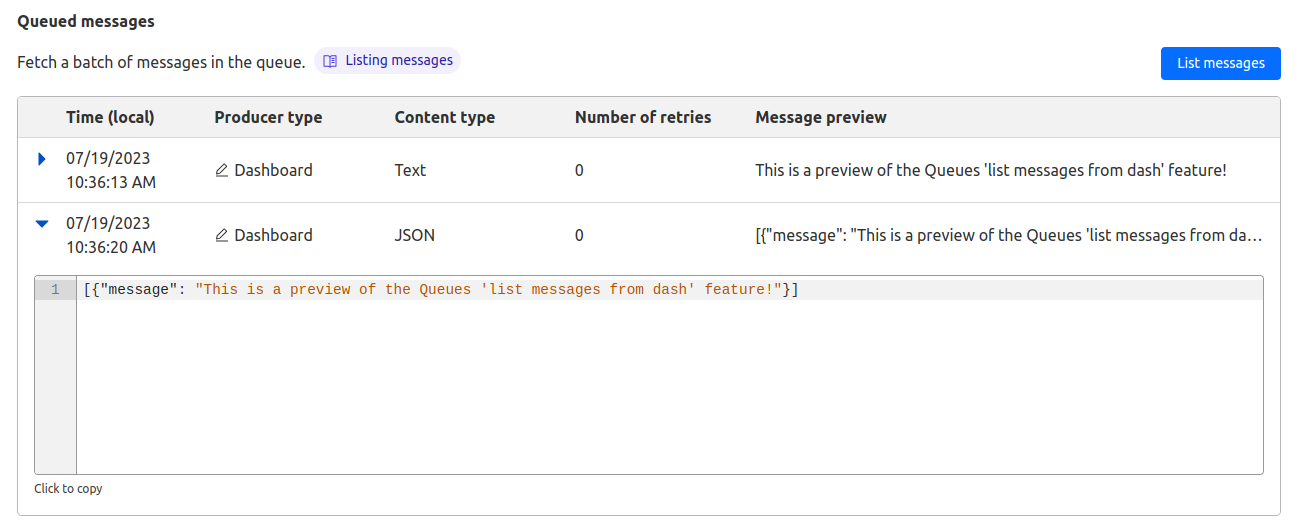
This will preview a batch of messages currently in the Queue.
Refer to the Get Started guide to learn how to process messages from a Queue in a Worker.